
EXHIBIT MANAGEMENT
Build the exhibit list as you prepare the case.
Turn source material into organized exhibits. Track their status and generate exhibit lists from the preparation already done, so your team can spend more time getting ready for the next proceeding.
Manage exhibit information and recorded status with ExMap in Workspace, alongside the evidence you prepare and activate.
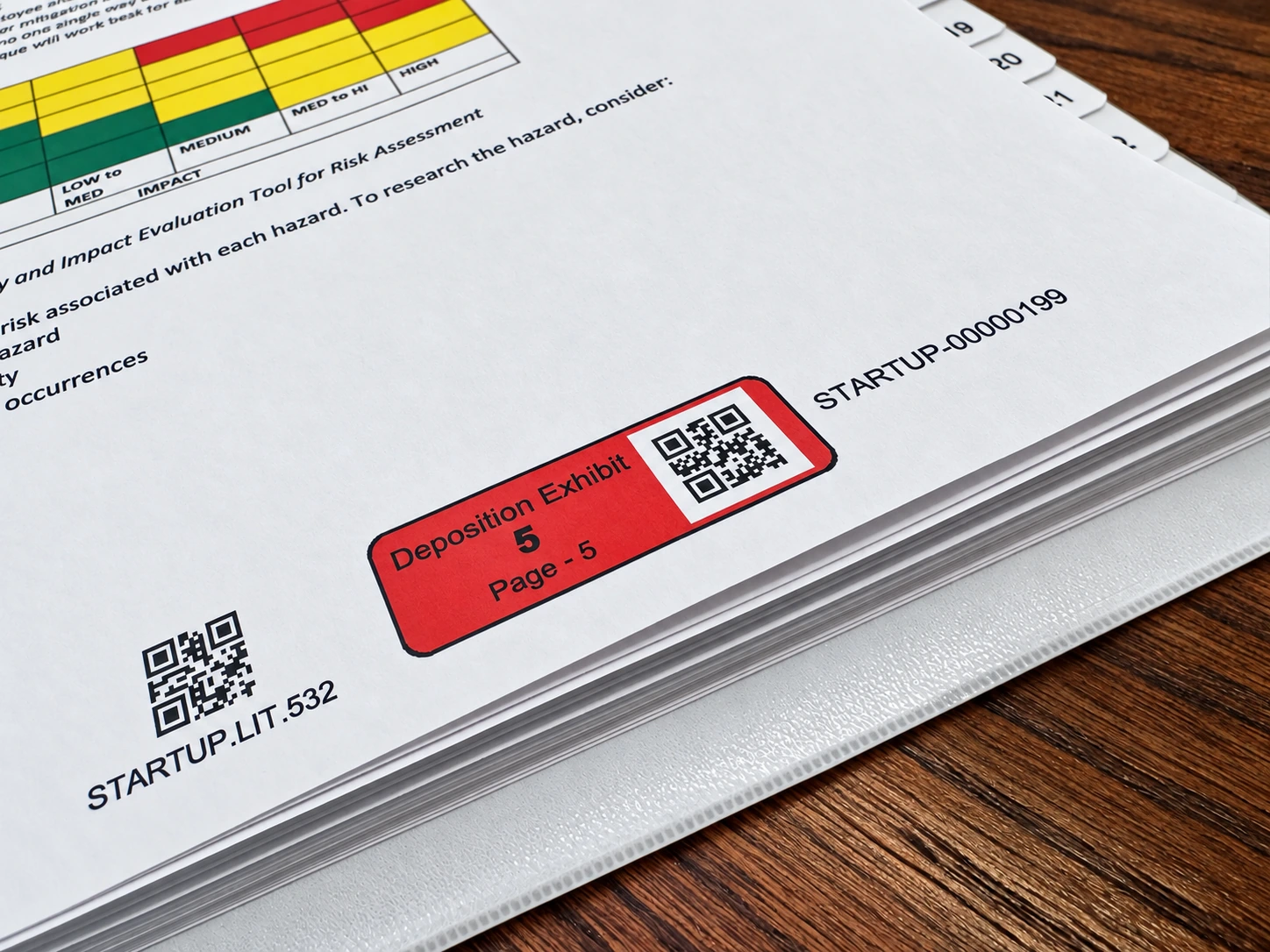
EXHIBIT STICKERS
Automatic exhibit stickers for PDFs.
Set the colors. Assign the exhibit numbers. Litigen handles the placement.
You set the case sticker colors for plaintiff, defense, trial and deposition exhibits and assign the exhibit numbers. Litigen’s patented process then creates the label margin and places the PDF exhibit labels automatically, so there is no manual positioning and no placement review.
Apply exhibit stickers in batches so preparation keeps moving without repeated manual placement. Printed exhibit stickers also help your team see what has been shown.
U.S. Patent Nos. 12,530,520 and 10,791,298 B2. Patent Pending.Coming soon: Proceedings stickers.
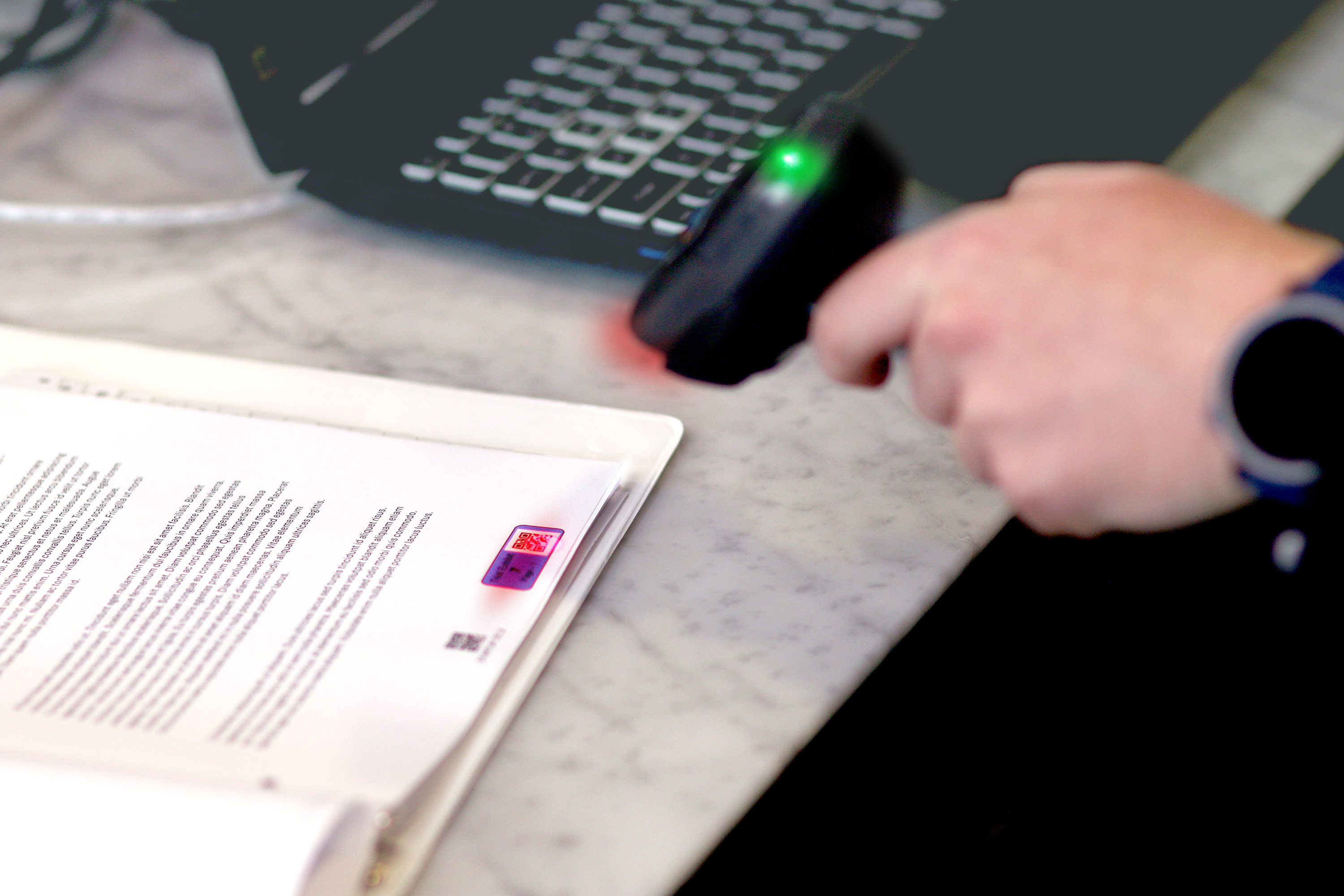
Barcodes, exhibit numbers and Bates numbers.
Each serves a different purpose, and Litigen keeps them connected to the same evidence.
Exhibit identification, page by page.
Litigen adds exhibit stickers to every page of the document. Its patented process creates a small label margin so no evidence is covered, with no user intervention required.
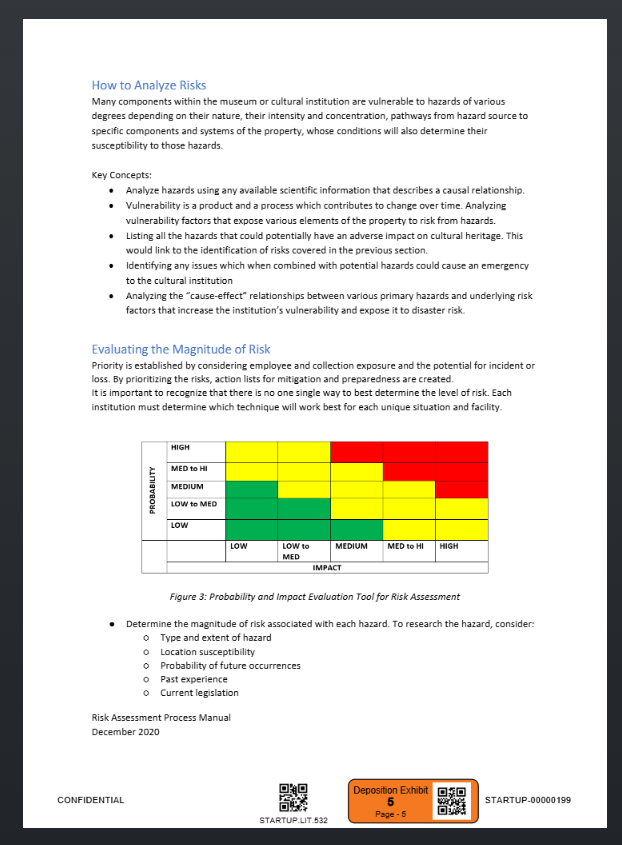

Exhibit number, page number and exhibit barcode — together in the orange sticker, with its own barcode distinct from the document-page barcode.
- Disclaimer
- CONFIDENTIALKeeps a document marking, such as CONFIDENTIAL, visible with the page.
- Document-page barcode
- STARTUP.LIT.532The document-page reference retrieves the matching document page.
- Exhibit number
- Deposition Exhibit 5Identifies the exhibit, separately from its page number.
- Exhibit page number
- Page 5Identifies this page within the exhibit. Exhibit and page numbers need not be the same.
- Bates number
- STARTUP-0000199Identifies the document page, not the exhibit number.
Barcodes.
Applied with the same patented margin process. Each barcode carries an internal evidence reference number, so scanning a printed page or a screen brings the matching evidence into view.
Exhibit numbers.
Identify an exhibit as your team prepares it and uses it in a deposition or at trial, and carry through to your exhibit lists in ExMap.
Bates numbers.
Identify document pages in the document repository. Bates stamping requires an internet connection.
Organize the exhibits.
Keep the information your team needs alongside the evidence.
Connected to the source.
Retain the relationship between each exhibit and the document or video it came from.
Numbering that carries through.
Organize exhibit numbers and use page identification to keep the material easy to retrieve.
Notes and status in view.
Record the details your team needs as the exhibit moves through preparation and use.
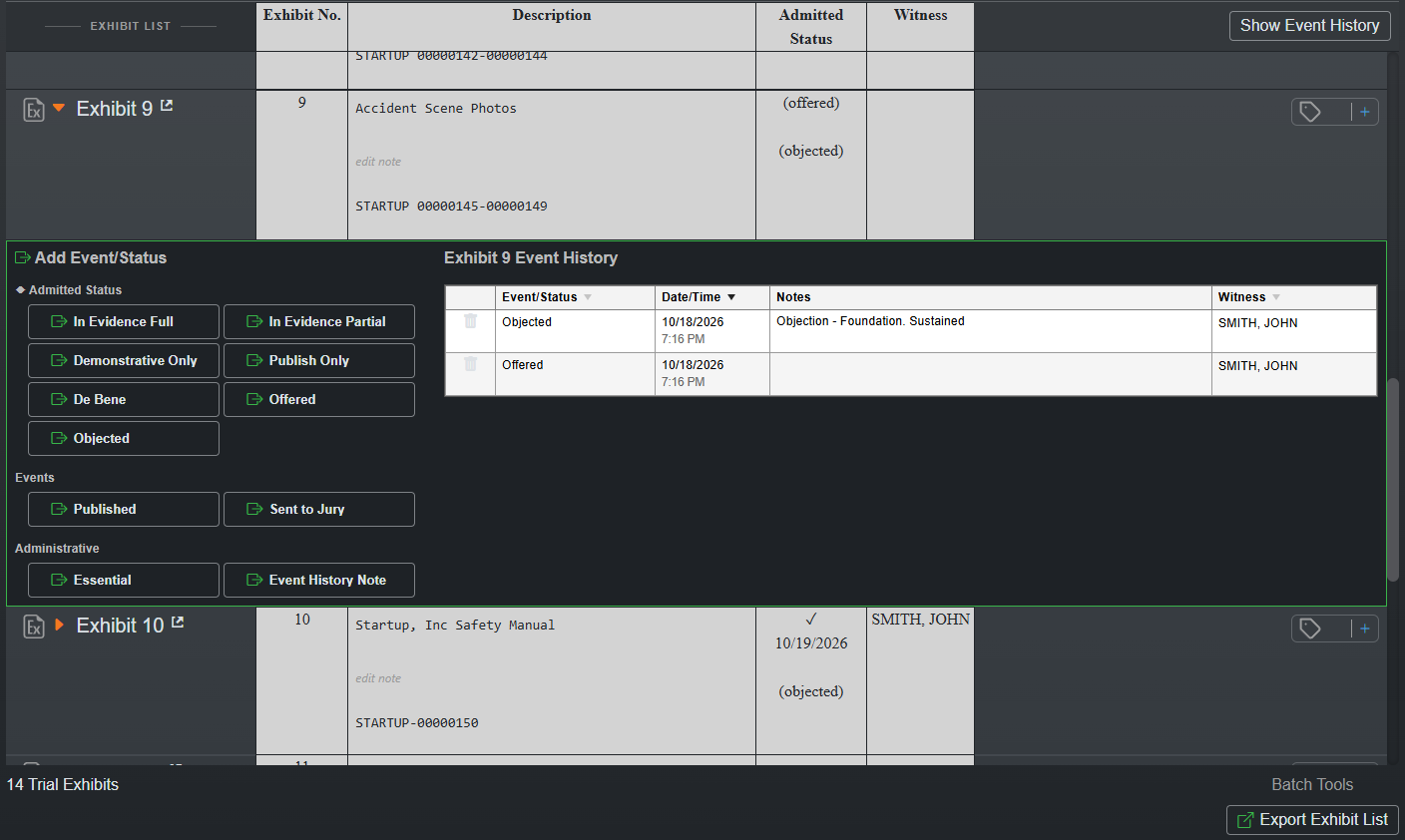
Track what happened to the exhibit.
Record events as they occur and keep a useful record of how the evidence was used.
Offered.
Record when the exhibit is offered.
Objected to.
Record an objection to the exhibit.
Admitted.
Record admission of the exhibit.
Shown to a witness.
Track when the exhibit is shown.
Sent to the jury.
Record when the exhibit goes to the jury.
 Open full exhibit tracker image
Track the events that apply to the exhibit. These are not a required sequence.
Generate the list from the work already done.
Create trial exhibit lists from the exhibits you have organized. Carry the preparation forward instead of assembling the list as a separate task.

Carry your preparation into presentation.
Bring prepared exhibits from Workspace into Presentation. Put a document in view, highlight the relevant passage, and move to the testimony that supports it.
Walk through your exhibit workflow.
See how exhibit preparation, status tracking, lists, and page retrieval fit the work your team does.