
 AI transcription
Put testimony to work sooner.
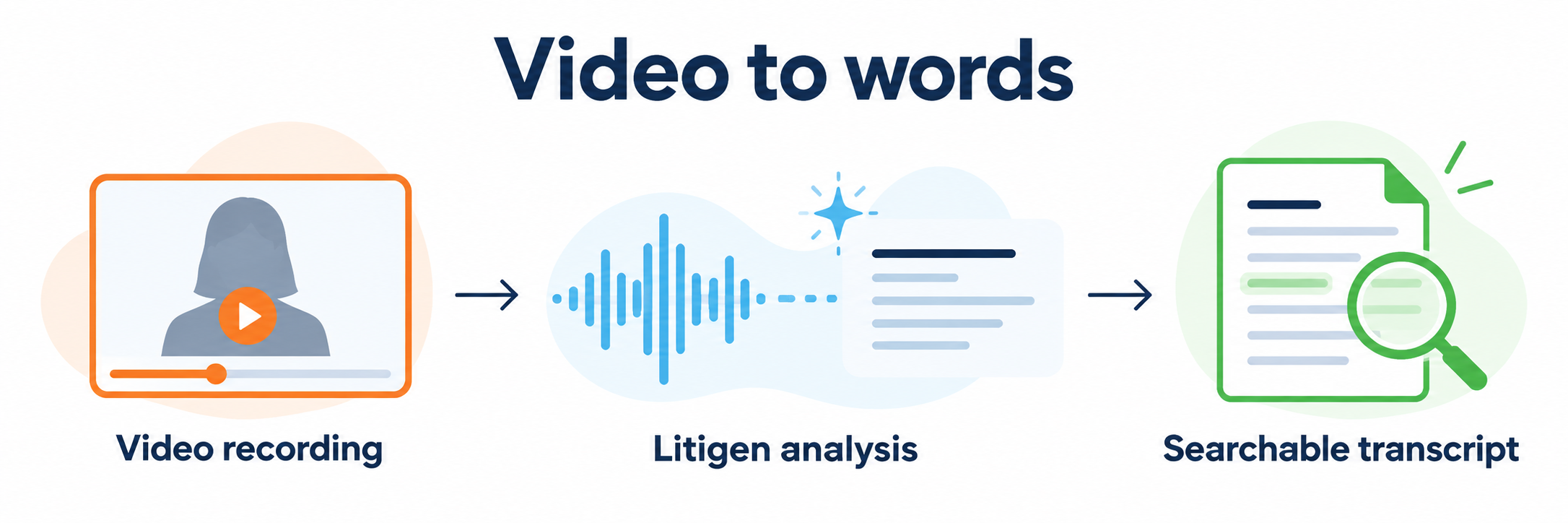
Litigen automatically generates AI-generated rough transcripts for depositions and other audio and video recordings, connecting searchable words to the video. Find a passage, review the testimony in context, and select what you need for a clip.
AI-generated rough transcripts support review and clip preparation; they do not replace the official transcript.
Turn recorded testimony into searchable words.
Litigen analyzes your recording and generates an AI-generated rough transcript connected to the video. Search for a passage, review the matching testimony, and select what you need for a clip.
Find it. Watch it. Work with it.
Find the passage
Search words and phrases in the synchronized transcript in Studio to locate the testimony you need to review.
Watch in context
Move to the corresponding moment in the recording and review how the testimony was delivered.
Create a clip
Select a passage in the synchronized transcript and make the clip in Studio, then activate it in Workspace for Presentation.
Rough transcript or official transcript?
Litigen’s AI-generated rough transcript is a working tool. It connects searchable words to your recording so your team can find testimony, review it against the video and prepare clips while the case moves forward.
AI-generated rough transcripts support review and clip preparation; they do not replace the official transcript. Add the official transcript when it is available.
Depositions and other recordings.
Bring depositions together with dashcam footage, surveillance and other audio and video recordings in LitVid, Litigen’s media repository, so recorded evidence is searchable in one place.
From search to clip.
When you find testimony that matters, select it and create a clip in Studio, Litigen’s video review, clipping and designation tool. Send selected clips to Workspace for barcode activation, ready for presentation alongside your documents and exhibits.
Keep the transcript and recording connected.
Transcript synchronization makes the written record a practical way to navigate the video. In Studio, your team can view the synchronized transcript and video together, review testimony and make clips.
Have a recording and transcript to work with?
Tell us what you have and what you need to accomplish. We’ll confirm the synchronization services and access appropriate to your project.